
maybe the question seems irrelevant, but I’ve been struggling with platform. since December to deploy my rails 6 projects.
I followed the processes but I still have errors, so I will give my complete workflow here (the devil is in the details)
Platform general configs:
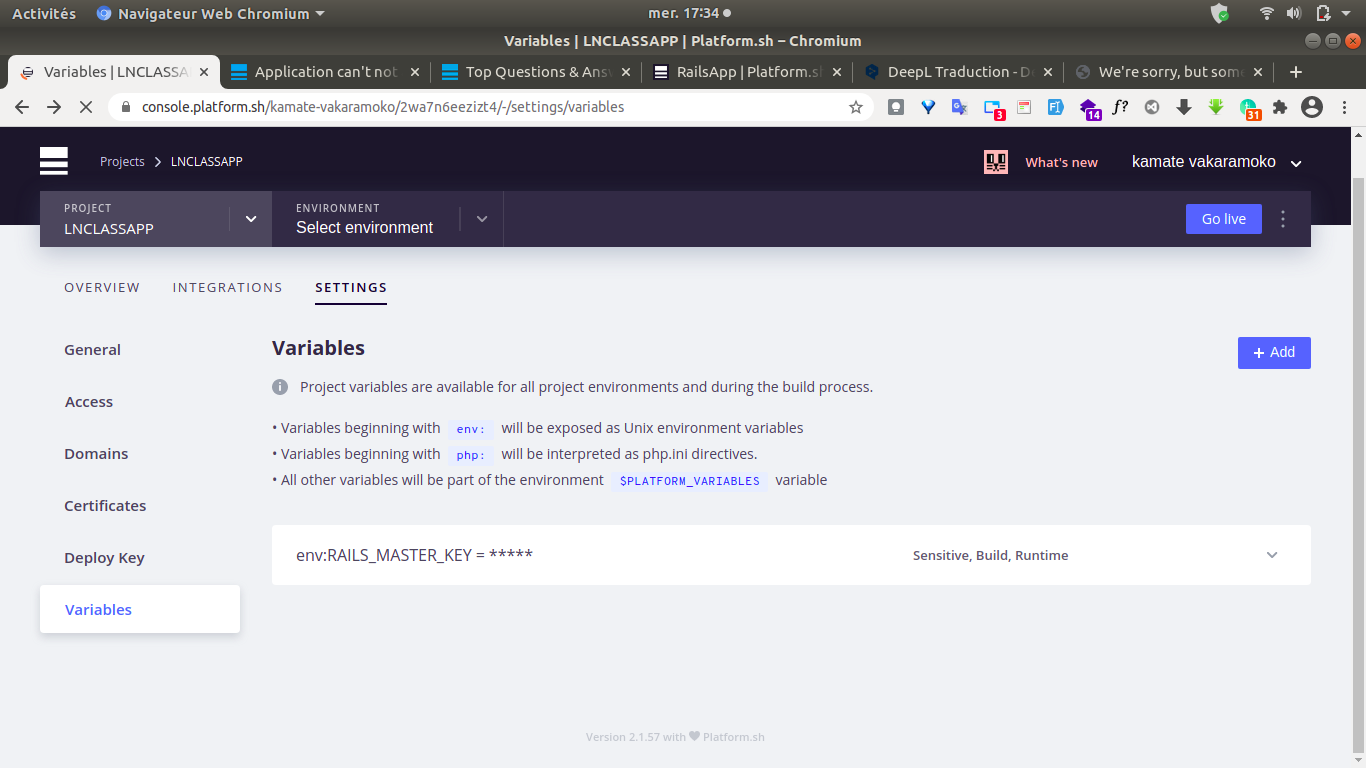
create variable for Rails master key on credentials file encrypted
platform variable:create
image:
env:RAILS_MASTER_KEY=*****
rails production environment setting:
Rails.application.configure do
  # Settings specified here will take precedence over those in config/application.rb.

  # Code is not reloaded between requests.
  config.cache_classes = true

  # Eager load code on boot. This eager loads most of Rails and
  # your application in memory, allowing both threaded web servers
  # and those relying on copy on write to perform better.
  # Rake tasks automatically ignore this option for performance.
  config.eager_load = true

  # Full error reports are disabled and caching is turned on.
  config.consider_all_requests_local       = false
  config.action_controller.perform_caching = true

  # Ensures that a master key has been made available in either ENV["RAILS_MASTER_KEY"]
  # or in config/master.key. This key is used to decrypt credentials (and other encrypted files).
   config.require_master_key = true

  # Disable serving static files from the `/public` folder by default since
  # Apache or NGINX already handles this.
  config.public_file_server.enabled = ENV['RAILS_SERVE_STATIC_FILES'].present?

  # Compress CSS using a preprocessor.
  # config.assets.css_compressor = :sass

  # Do not fallback to assets pipeline if a precompiled asset is missed.
  config.assets.compile = true

  # Enable serving of images, stylesheets, and JavaScripts from an asset server.
  # config.action_controller.asset_host = 'http://assets.example.com'

  # Specifies the header that your server uses for sending files.
  # config.action_dispatch.x_sendfile_header = 'X-Sendfile' # for Apache
  # config.action_dispatch.x_sendfile_header = 'X-Accel-Redirect' # for NGINX

  # Store uploaded files on the local file system (see config/storage.yml for options).
  config.active_storage.service = :local

  # Mount Action Cable outside main process or domain.
  # config.action_cable.mount_path = nil
  # config.action_cable.url = 'wss://example.com/cable'
  # config.action_cable.allowed_request_origins = [ 'http://example.com', /http:\/\/example.*/ ]

  # Force all access to the app over SSL, use Strict-Transport-Security, and use secure cookies.
   config.force_ssl = true

  # Use the lowest log level to ensure availability of diagnostic information
  # when problems arise.
  config.log_level = :debug

  # Prepend all log lines with the following tags.
  config.log_tags = [ :request_id ]

  # Use a different cache store in production.
  # config.cache_store = :mem_cache_store

  # Use a real queuing backend for Active Job (and separate queues per environment).
  # config.active_job.queue_adapter     = :resque
  # config.active_job.queue_name_prefix = "LNCLASSAPP_production"

  config.action_mailer.perform_caching = false

  # Ignore bad email addresses and do not raise email delivery errors.
  # Set this to true and configure the email server for immediate delivery to raise delivery errors.
  # config.action_mailer.raise_delivery_errors = false

  # Enable locale fallbacks for I18n (makes lookups for any locale fall back to
  # the I18n.default_locale when a translation cannot be found).
  config.i18n.fallbacks = true

  # Send deprecation notices to registered listeners.
  config.active_support.deprecation = :notify

  # Use default logging formatter so that PID and timestamp are not suppressed.
  config.log_formatter = ::Logger::Formatter.new

  # Use a different logger for distributed setups.
  # require 'syslog/logger'
  # config.logger = ActiveSupport::TaggedLogging.new(Syslog::Logger.new 'app-name')

  if ENV["RAILS_LOG_TO_STDOUT"].present?
    logger           = ActiveSupport::Logger.new(STDOUT)
    logger.formatter = config.log_formatter
    config.logger    = ActiveSupport::TaggedLogging.new(logger)
  end

  # Do not dump schema after migrations.
  config.active_record.dump_schema_after_migration = false

  # Inserts middleware to perform automatic connection switching.
  # The `database_selector` hash is used to pass options to the DatabaseSelector
  # middleware. The `delay` is used to determine how long to wait after a write
  # to send a subsequent read to the primary.
  #
  # The `database_resolver` class is used by the middleware to determine which
  # database is appropriate to use based on the time delay.
  #
  # The `database_resolver_context` class is used by the middleware to set
  # timestamps for the last write to the primary. The resolver uses the context
  # class timestamps to determine how long to wait before reading from the
  # replica.
  #
  # By default Rails will store a last write timestamp in the session. The
  # DatabaseSelector middleware is designed as such you can define your own
  # strategy for connection switching and pass that into the middleware through
  # these configuration options.
  # config.active_record.database_selector = { delay: 2.seconds }
  # config.active_record.database_resolver = ActiveRecord::Middleware::DatabaseSelector::Resolver
  # config.active_record.database_resolver_context = ActiveRecord::Middleware::DatabaseSelector::Resolver::Session
end
Note:: I have decommented:
 config.require_master_key = true
and
config.assets.compile = true
-
add public ssh key from local machine to platform.
-
Create project and select zone
-
install cli
curl -sS https://platform.sh/cli/installer | php
- set git remote
platform project:set-remote *********
- add Platform configuration YAML files
mkdir .platform/ && touch .platform/routes.yaml && touch .platform/services.yaml && touch .platform.app.yaml
- Configure your services platform/services.yaml
(I used Postgresql and 10G storage, 1G for App and 9G for DB)
# The name given to the PostgreSQL service (lowercase alphanumeric only).
dbpostgres:
    # The type of your service (postgresql), which uses the format
    # 'type:version'. Be sure to consult the PostgreSQL documentation
    # (https://docs.platform.sh/configuration/services/postgresql.html#supported-versions)
    # when choosing a version. If you specify a version number which is not available,
    # the CLI will return an error.
    type: postgresql:13
    # The disk attribute is the size of the persistent disk (in MB) allocated to the service.
    disk: 9216
configuration:
      extensions:
        - plpgsql
        - pgcrypto
        - uuid-ossp
- ** Configure your application**
(.platform.app.yaml)
# The name of this app. Must be unique within a project.
name: app

type: 'ruby:2.7'


mounts:
    log:
      source: local
      source_path: log
    tmp:
      source: local
      source_path: tmp


relationships:
    postgresdatabase: 'dbpostgres:postgresql'


# The size of the persistent disk of the application (in MB).
disk: 1024


hooks:
    build: |
      bundle install --without development test
      RAILS_ENV=production bundle exec rake assets:precompile
    deploy: |
      RAILS_ENV=production bundle exec rake db:migrate

web:
  upstream:
    socket_family: "unix"
  commands:
    start: "unicorn -l $SOCKET -E production config.ru"
  locations:
    '/':
      root: "public"
      passthru: true
      expires: 1h
      allow: true
*** Configure the HTTP router**
# Each route describes how an incoming URL is going to be processed by Platform.sh.
"https://www.{default}/":
    type: upstream
    upstream: "app:http"

"https://{default}/":
    type: redirect
    to: "https://www.{default}/"
*** Commit and push your configuration files to Platform.sh**
git add . && git commit -m “Add config files.” && git push-u platform master
but the deployment is stopped unless I compile the webpack assets or without that, nothing starts properly.
thanks for your help